Take what a bill costs and divide it by the months until it’s due. Set that amount aside every month, and when the bill arrives the money is there. That’s a sinking fund.
A $600 insurance renewal is fine. Add a $450 dentist bill the same month and $900 of Christmas flights right after, and it stops being fine. You knew about all three. It still felt like an emergency. The MoneyFlux section near the end says what the app does here and what it can’t.
This is not financial advice, and the numbers below are invented, so swap in your own.
What a sinking fund is
A sinking fund is a pot of money for one named expense with a date. The name is borrowed from companies that set money aside to pay off a debt later, but the personal version is simpler: “Car insurance, $600, due 1 March” is a sinking fund.
Each fund needs a name (“new tires”, not “savings”), a target (an estimate is fine) and a date. No date, no division, so pick a rough one.
Sinking fund vs emergency fund
A sinking fund is for costs you can predict. An emergency fund is for the ones you can’t: a job loss, a broken boiler, a hospital trip abroad. Keep them apart: an emergency fund that quietly pays for a holiday isn’t one any more.
Which expenses to start with
Start by going back through the last twelve months of transactions and finding the bills that made a month feel tight. Annual or irregular costs are the usual suspects:
- Insurance, car or home, paid once a year
- Car servicing, tires, road tax
- Annual subscriptions and memberships
- Gifts, birthdays and holidays
- Dental and medical costs that come around every year
- A trip, a laptop, a phone you already know you’ll replace
- A vet bill, if you have a pet that’s due its yearly check
If you want a quick way to find these, look at the months where spending jumped. The post on where your money goes every month walks through that review, and the one on tracking subscriptions and recurring payments helps with the annual renewals you’ve forgotten.
Then pick two. Maybe three. A fund you stop paying into is worse than none. The list still says “insurance, $600”, so you assume it’s covered, while the balance sits at $150.
Working out the monthly amount
Divide the cost by the number of months until it’s due.
Say your car insurance is $600 a year and it renews in four months.
If you don’t know the exact cost yet, use last year’s bill plus a little for price rises, and correct the target when the real figure arrives. If $150 is too much, ask the insurer about installments or get a cheaper quote. You can also fund only part of it and pay the rest from that month’s income.
A trip with a longer runway works the same way. Flights of $900 in nine months is $100 a month. Give the hotel and spending money their own line, since “the trip” is usually several costs.
When you start late
Most people start a fund when the bill is already close, so the monthly amount looks steep. Fund the most urgent one first and start the others after it’s paid. Or treat this year’s renewal as a trial run and plan the proper fund from next year, when you know the true amount.
Total the funds before you commit
Add the monthly amounts of all your funds. If the total is bigger than what you can set aside from a month’s income, drop one fund or push a deadline out. If your income swings from month to month, base the amounts on your lower months. Say the car insurance, the Christmas flights and a $300 laptop come to $150, $100 and $50 a month, and you can set aside $250. Stretch the laptop’s deadline by a few months rather than drop a fund.
Where the money sits
The simplest setup is one savings account for all your funds, plus a list of how much belongs to each. If your bank offers sub-accounts, one per fund keeps the money cleanly apart, though it gets fiddly past three or four. Leaving it in your everyday account is the easiest start and the easiest way to spend it by mistake. Whichever you pick, you need to be able to see each fund’s share.
Tracking the funds
A notes app can hold one fund. At three or four it starts to hurt, because each fund needs a balance, a target and a date, and the balances change every month.
A spreadsheet works if you set it up carefully: one row per fund, columns for target, date, saved so far, months left and monthly amount. The cost is that you update it by hand. The comparison of a spreadsheet and an expense tracker app goes through where that pays off and where it doesn’t.
What you need to see at a glance: what’s in each fund now, what’s still missing, and whether your current pace gets there by the due date.
Tracking sinking funds in MoneyFlux
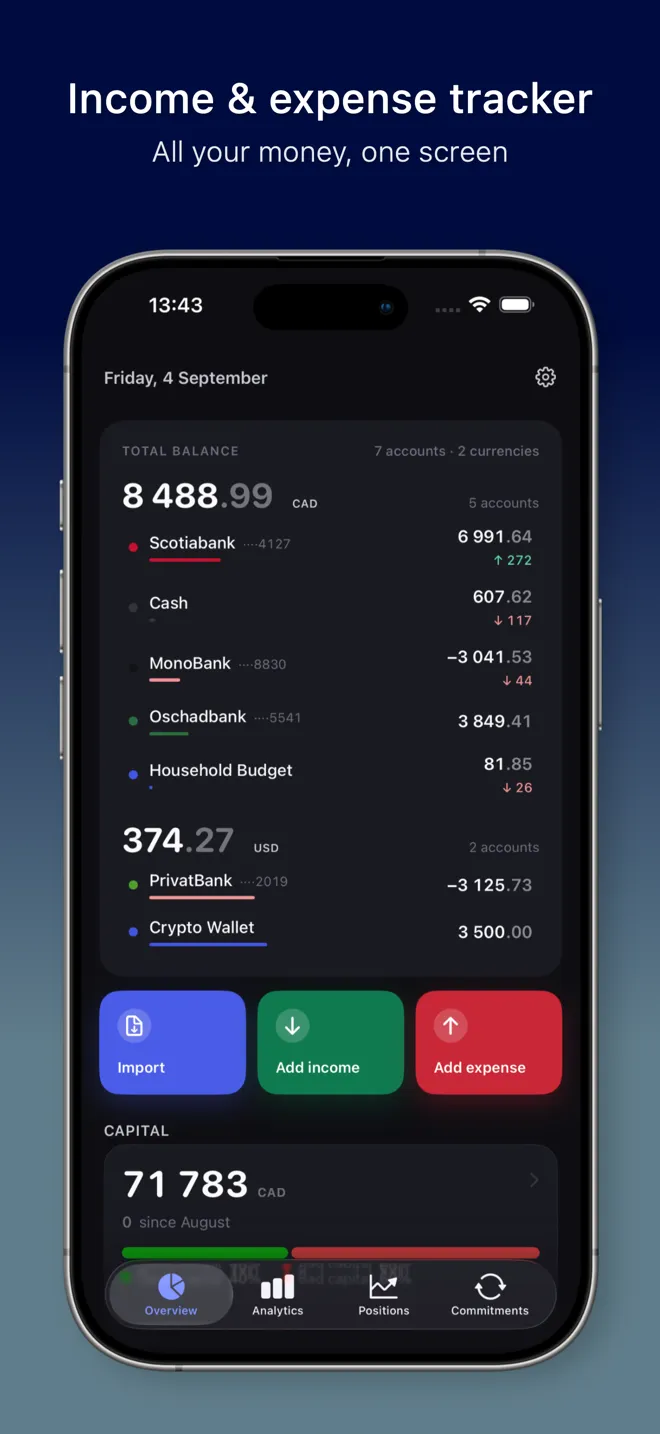
MoneyFlux has no feature called “sinking funds”, and it isn’t a budgeting app: there are no per-category limits. What it has is savings goals, and a goal with a deadline does the job of a sinking fund. Savings goals are free.
What a goal gives you:
- A goal per expense. Create one for the car insurance, one for the trip, one for the laptop.
- Any of your currencies. A goal can be in any of the eight currencies the app supports, and money goes in from a card in the goal’s currency.
- An optional deadline. Leave it off for a goal like an emergency fund that has no date.
- Money in and out. When you add money to a goal you pick the card it comes from, and that card’s balance follows. Taking money out works the other way.
- Pace. The goal shows the monthly amount and the expected finish date at your current pace, which answers the “will I get there in time” question without a spreadsheet.
- An optional reminder on the 25th, for people who save after payday.
There’s also a savings target as a share of your income. If you set it, MoneyFlux turns this month’s real income into an amount to put away and offers to split your salary across your goals. It can also recognize transfers to savings in imported bank statements.
Try it in MoneyFlux: pick the one bill that hurt most last year, create a savings goal for it with the due date as the deadline, and put in this month’s first amount. Check the expected finish date against the due date.
What MoneyFlux doesn’t do here
- It doesn’t move money. A goal records what you’ve set aside. You still make the transfer in your bank.
- It doesn’t connect to your bank. You bring transactions in by importing a statement file you export yourself, and the file is read on your phone.
- It isn’t a budget. There are no category limits or alerts for overspending.
- It doesn’t convert currencies. A goal is in one currency, and totals stay per currency.
If you want the import side explained, the bank statement import page covers which banks and file types work.
The monthly routine
Once the funds exist, a short monthly routine keeps them alive:
- On payday, move each fund’s monthly amount first, before you spend on anything else.
- Once a month, look at every fund against its date. Is the pace still right?
- When a bill arrives, pay it from the fund, then close the fund or reset it for next year with the new price.
- If the real cost turned out higher or lower than the target, change the target now, while you remember why.
Resetting is the step people forget. Insurance and servicing come back every year, and a fund you closed has to be rebuilt from scratch.
If a bill arrives and the fund is short, pay it anyway and keep the fund going. The shortfall tells you the target was too low, so raise it for next year.
Frequently asked questions
What is a sinking fund in personal finance?
It is money you set aside a little at a time for one specific expense you know is coming, such as annual insurance, a trip or a new laptop. Each fund has a target amount and a date, so the monthly amount is simple division.
How is a sinking fund different from an emergency fund?
A sinking fund covers costs you can predict, so you know the amount and roughly when. An emergency fund covers the ones you can't predict, like a sudden job loss or a broken boiler. Most people need both.
How many sinking funds should I have?
As few as cover your real surprises. Two or three is a reasonable start. Add another only when a bill actually catches you out, and merge funds that are tiny.
Do sinking funds need their own bank account?
No. A separate account or sub-account makes the money harder to spend by accident, but you can also keep one savings account and track each fund on paper or in an app.
Can I track sinking funds in MoneyFlux?
Yes. Create a savings goal for each one, in any of your currencies, with a deadline if it has one. Savings goals are free. MoneyFlux records what you put in; it does not transfer money between your bank accounts.